Installing Milvus (AWS Linux + Docker Compose)
1. Overview
- Install AWS Linux
- Install the appropriate version of Docker Compose
- Install Attu
2. Install Docker
2.1 Install and Start Docker Engine
# 1. Package System Update
> dnf update -y

# 2. Installing the Built-in Docker Package
> dnf install -y docker

# 4. Verify that Docker is running properly (if the version is displayed, it was successful)
> docker --version
Docker version 25.0.14, build 0bab007
>
2.2 Installing Docker Compose (Plugin Method)
The default repository for Amazon Linux 2023 does not include the docker-compose plugin.
Install docker-compose separately.
# 1. Create a Docker CLI plugin folder
> mkdir -p /usr/local/lib/docker/cli-plugins

# 2. Download the latest version of Docker Compose for Linux from the official GitHub repository
> curl -SL "https://github.com/docker/compose/releases/latest/download/docker-compose-linux-$(uname -m)" -o /usr/local/lib/docker/cli-plugins/docker-compose

# 3. Grant Execution Permissions
> chmod +x /usr/local/lib/docker/cli-plugins/docker-compose

# 4. Verifying that Docker Compose is Working Properly
> docker compose version
Docker Compose version v5.1.4
> systemctl start docker
> systemctl enable docker
3. Install Milvus
3.1 Install Mulvus
> mkdir -p /usr/service/milvus-standalone
> cd /usr/service/milvus-standalone
> wget https://github.com/milvus-io/milvus/releases/download/v2.6.18/milvus-standalone-docker-compose.yml -O docker-compose.yml
> sudo docker compose up -d
Creating milvus-etcd  ... done
Creating milvus-minio ... done
Creating milvus-standalone ... done

# Check Installation History
> docker compose ps
WARN[0000] /usr/service/milvus-standalone/docker-compose.yml: the attribute `version` is obsolete, it will be ignored, please remove it to avoid potential confusion
NAME                IMAGE                                      COMMAND                  SERVICE      CREATED          STATUS                    PORTS
milvus-etcd         quay.io/coreos/etcd:v3.5.25                "etcd -advertise-cli…"   etcd         44 seconds ago   Up 43 seconds (healthy)   2379-2380/tcp
milvus-minio        minio/minio:RELEASE.2024-12-18T13-15-44Z   "/usr/bin/docker-ent…"   minio        44 seconds ago   Up 43 seconds (healthy)   0.0.0.0:9000-9001->9000-9001/tcp, [::]:9000-9001->9000-9001/tcp
milvus-standalone   milvusdb/milvus:v2.6.18                    "/tini -- milvus run…"   standalone   44 seconds ago   Up 42 seconds (healthy)   0.0.0.0:9091->9091/tcp, [::]:9091->9091/tcp, 0.0.0.0:19530->19530/tcp, [::]:19530->19530/tcp
3.2 Install Attu
> docker run -d -p 8000:3000 --name milvus-attu --restart always zilliz/attu:v2.4.11
>  docker ps
CONTAINER ID   IMAGE                                      COMMAND                  CREATED          STATUS                   PORTS                                                                                      NAMES
ec239dd454e8   zilliz/attu:v2.4.11                        "docker-entrypoint.s…"   43 seconds ago   Up 40 seconds            0.0.0.0:8000->3000/tcp, :::8000->3000/tcp                                                  milvus-attu
99ffb6e7f8ef   milvusdb/milvus:v2.6.18                    "/tini -- milvus run…"   7 minutes ago    Up 7 minutes (healthy)   0.0.0.0:9091->9091/tcp, :::9091->9091/tcp, 0.0.0.0:19530->19530/tcp, :::19530->19530/tcp   milvus-standalone
affc1daa2946   quay.io/coreos/etcd:v3.5.25                "etcd -advertise-cli…"   7 minutes ago    Up 7 minutes (healthy)   2379-2380/tcp                                                                              milvus-etcd
8a3195901674   minio/minio:RELEASE.2024-12-18T13-15-44Z   "/usr/bin/docker-ent…"   7 minutes ago    Up 7 minutes (healthy)   0.0.0.0:9000-9001->9000-9001/tcp, :::9000-9001->9000-9001/tcp                              milvus-minio
3.3 Configure for Automatic Startup
Restart Docker
> systemctl enable docker
Restart Milvus
Services bundled with Docker Compose often fail to start automatically when the server is shut down and then restarted.
Verify that the restart: always option is definitely included for each service within the official docker-compose.yml file, and apply it.
> cd /usr/service/milvus-standalone  # The path to the folder where Compose was located earlier
> vi docker-compose.yml
# Example of Editing docker-compose.yml
services:
  etcd:
    container_name: milvus-etcd
    image: quay.io/coreos/etcd:v3.5.25
    restart: always  # 👈 Add this here!
    # ... (rest omitted) ...

  minio:
    container_name: milvus-minio
    image: minio/minio:RELEASE.2024-12-18T13-15-44Z
    restart: always  # 👈 Add this here!
    # ... (rest omitted) ...

  standalone:
    container_name: milvus-standalone
    image: milvusdb/milvus:v2.6.18
    restart: always  # 👈 Add this here!
    # ... (rest omitted) ...
Restarting Attu
# Check the "restart always" command below
> docker run -d -p 8000:3000 --name milvus-attu --restart always zilliz/attu:v2.4.11
4. Configuration
4.1 Attu Configuration
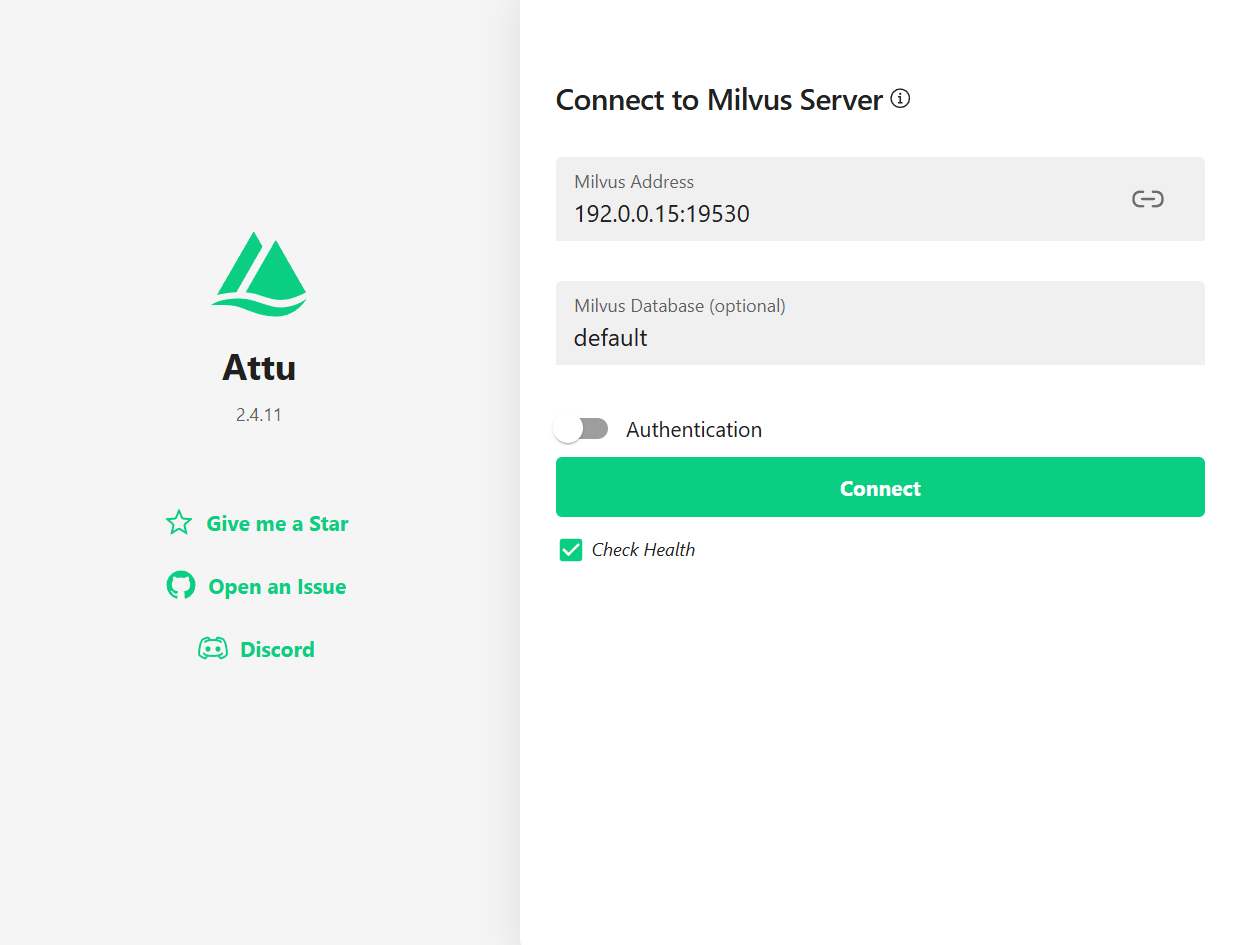
- Open the AWS firewall
- Access: http://<host_ip>
:8000/
- Since they are isolated from each other via Docker, 127.0.0.1 will not work.
4.2 Data Backup Directory
# Regular Backups Are Necessary
> /usr/service/milvus-standalone/volumes
```</host_ip>